
End types and offsets
TendonLink brings end types and offsets from RAM Concept into Revit.
TendonLink stores and transfers post-tensioning tendon data from analysis into documentation.
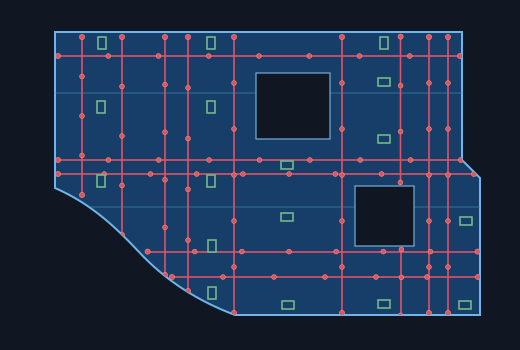
 TendonLink
You've spent the time analysing the tendons.Don't spend it again drafting them.
TendonLink takes the tendon geometry and design data from the analysis model, stores it, and brings it into the documentation model when you're ready.
Select a design floor and TendonLink automatically retrieves its tendon layout and design data, including end types and offsets, from the analysis model.
Store the extracted data for later use. Drafting computers don't need the analysis program installed or a licence for it.
Bring the stored data into the documentation model. Customize it to your standards together with any drafting requirements you need to see on the drawings.
Choose TendonLink Core for the simplest setup. It comes with Revit families built for detailed post-tension drawings.
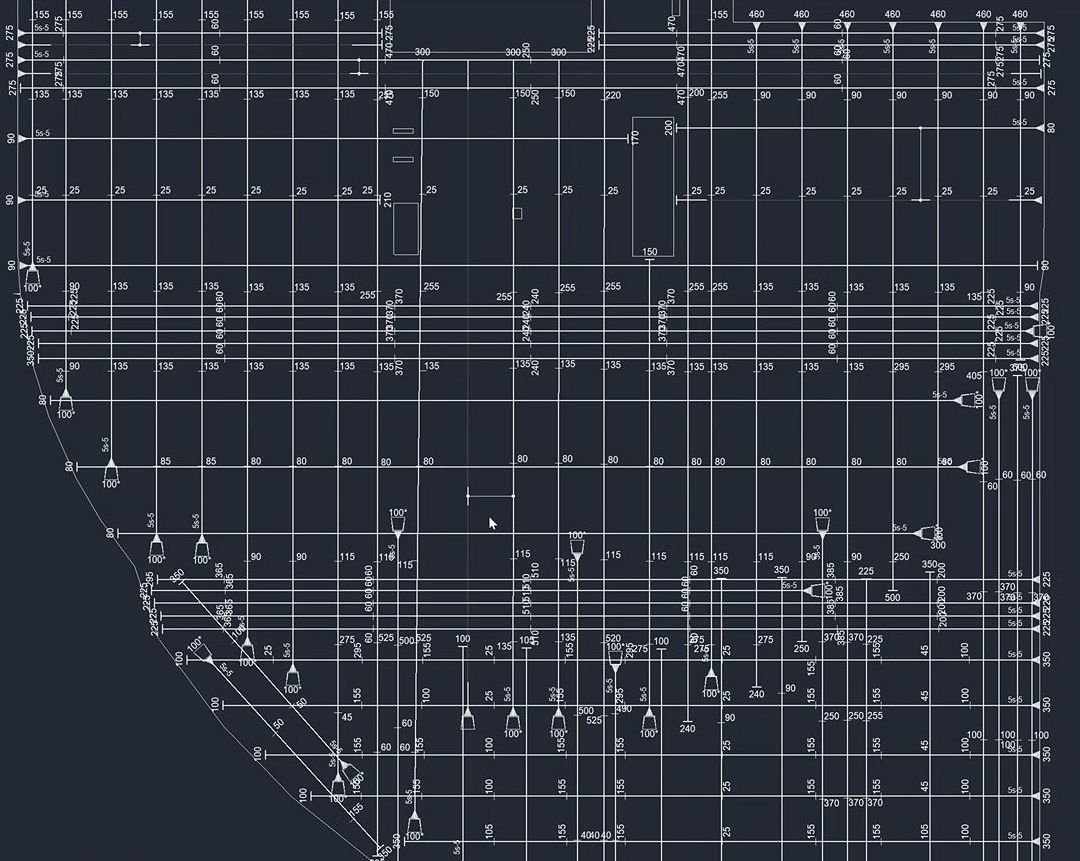
TendonLink Core already includes these drawing details.
TendonLink brings end types and offsets from RAM Concept into Revit.
High, low and intermediate points come through as tags in Revit.
TendonLink groups matching, adjacent tendons with faint secondary lines to reduce clutter on drawings.
Want to use your own families? Reach out and we can talk about mapping TendonLink to your drawing standards.
TendonLink can manage the storage and provide the Revit families, or we can adapt either part to your standards. If you use other programs, let's talk about those too.
TendonLink Core uses managed storage and standard Revit families. Other storage or client-specific families can be scoped as a Custom deployment.
Get in touchWe’ll get TendonLink set up for your team and validate the first few imports. The ongoing licence covers updates and support.
Get in touchTendonLink currently only supports RAM Concept and Revit.
Reach out to see how we can make it work for other programs.
Yes. We’ll start with a call to discuss the best path forward, then work with your team to set it up.
TendonLink has a setup fee and an ongoing organisational licence. The setup cost depends on your storage and Revit family requirements, with TendonLink Core offering the simplest way to get it working.
RAM Concept and Revit are the current supported programs, but we’re open to supporting others. Reach out and let’s talk about an arrangement that makes sense for both sides.
Not currently. TendonLink is built for the structural engineer’s tendon design plan in Revit. Depending on your requirements, it may be possible to adapt it for shop drawings. Reach out and let’s chat.
Use TendonLink to extract geometry and design data from a RAM Concept model into a reusable format. The Revit add-in imports that data into plan drawings. If the design changes, extract and import it again.